TutorialUse Unity Catalog
Working with metric views
Use Spark to define order KPIs once as a metric view in Unity Catalog, then query them by month, by status, and in total.
In this tutorial you define three business metrics, the order count, total revenue, and revenue per customer, once, as a metric view in Unity Catalog. Then you query them sliced three different ways without writing an aggregation yourself. Everyone who queries the view gets the same numbers, because the definition lives in the catalog, not in each query.
Allow about fifteen minutes.
Start the environment
Download the docs' environment and start Unity Catalog 0.7.0. Already running it? Skip this.
curl -fsSL https://docs.unitycatalog.io/env/unitycatalog.tar.gz | tar -xz
cd uc-docs-env/unitycatalog && docker compose up -d --wait
export UNITY_CATALOG_URL=http://localhost:8080/api/2.1/unity-catalog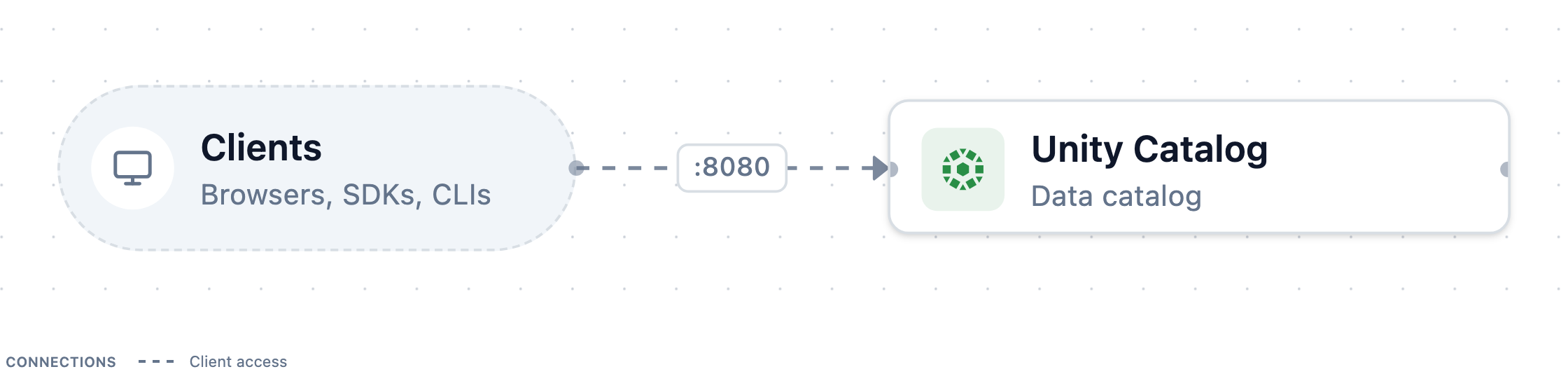
Stop it later with
docker compose downfromuc-docs-env/unitycatalog.Open a Python session
Metric views need Spark 4.2. Open a Python session with PySpark 4.2, from a terminal where
UC_DOCS_ROOTis set the same way as for the server:uv run --with pyspark==4.2.0 pythonEnter each of the following snippets in it, in order. Start Spark with the Unity Catalog connector for Spark 4.2 and the matching Delta Lake:
metric_view.pyFull scriptimport os from pyspark.sql import SparkSession spark = ( SparkSession.builder.appName("metric-views") .config( "spark.jars.packages", "io.unitycatalog:unitycatalog-spark_4.2_2.13:0.7.0," "io.delta:delta-spark_4.2_2.13:4.4.1", ) .config("spark.sql.extensions", "io.delta.sql.DeltaSparkSessionExtension") .config( "spark.sql.catalog.spark_catalog", "org.apache.spark.sql.delta.catalog.DeltaCatalog", ) .config("spark.sql.catalog.unity", "io.unitycatalog.spark.UCSingleCatalog") .config("spark.sql.catalog.unity.uri", "http://localhost:8080") .config("spark.sql.catalog.unity.auth.type", "static") .config("spark.sql.catalog.unity.auth.token", "not-used") .config("spark.sql.defaultCatalog", "unity") .getOrCreate() )The first run takes a minute while Spark downloads the jars. Configure Spark to use Unity Catalog explains each setting.
Create the orders table
A metric view computes over a source: a table, a view, or a query. Create a schema and a small Delta table of orders in the server's shared folder:
metric_view.pyFull scriptDOCS_ROOT = os.environ.get("UC_DOCS_ROOT", "/tmp/uc-docs") spark.sql("CREATE SCHEMA shop") spark.sql(f""" CREATE TABLE shop.orders ( order_id BIGINT, customer STRING, status STRING, order_date DATE, amount DECIMAL(10, 2) ) USING DELTA LOCATION '{DOCS_ROOT}/shop/orders' """) spark.sql(""" INSERT INTO shop.orders VALUES (1, 'ada', 'F', DATE'2026-01-05', 100.00), (2, 'grace', 'O', DATE'2026-01-12', 40.00), (3, 'ada', 'F', DATE'2026-01-20', 60.00), (4, 'linus', 'P', DATE'2026-01-28', 25.00), (5, 'grace', 'F', DATE'2026-02-02', 80.00), (6, 'ada', 'O', DATE'2026-02-10', 30.00), (7, 'margaret', 'F', DATE'2026-02-18', 120.00), (8, 'linus', 'F', DATE'2026-02-25', 45.00) """)Define the metric view
The definition is YAML inside a
CREATE VIEW … WITH METRICSstatement. Itssourcenames the table. Thedimensionsare the values you group and filter by, each an expression on a source row. Themeasuresare the aggregations you report:metric_view.pyFull scriptspark.sql(""" CREATE VIEW shop.orders_metrics WITH METRICS LANGUAGE YAML AS $ version: "0.1" source: unity.shop.orders dimensions: - name: Order Month expr: DATE_TRUNC('MONTH', order_date) - name: Order Status expr: |- CASE status WHEN 'O' THEN 'Open' WHEN 'P' THEN 'Processing' WHEN 'F' THEN 'Fulfilled' END measures: - name: Order Count expr: COUNT(1) - name: Total Revenue expr: SUM(amount) - name: Revenue per Customer expr: ROUND(SUM(amount) / COUNT(DISTINCT customer), 2) $ """)Names can be the ones your reports use, spaces included. Quote them with backticks in queries. The definition starts with
version: "0.1", the only version Spark reads.Inspect it
The view's columns are its dimensions followed by its measures, and its type is
METRIC_VIEW:metric_view.pyFull scriptspark.sql("DESCRIBE shop.orders_metrics").show() spark.sql("DESCRIBE EXTENDED shop.orders_metrics").where("col_name = 'Type'").show()+--------------------+-------------+-------+ | col_name| data_type|comment| +--------------------+-------------+-------+ | Order Month| timestamp| NULL| | Order Status| string| NULL| | Order Count| bigint| NULL| | Total Revenue|decimal(20,2)| NULL| |Revenue per Customer|decimal(21,2)| NULL| +--------------------+-------------+-------+ +--------+-----------+-------+ |col_name| data_type|comment| +--------+-----------+-------+ | Type|METRIC_VIEW| | +--------+-----------+-------+The catalog stores the YAML. Spark reads it back each time you query the view.
Query measures by month
Wrap each measure in
MEASURE()and group by the dimensions you want:metric_view.pyFull scriptspark.sql(""" SELECT `Order Month`, MEASURE(`Order Count`), MEASURE(`Total Revenue`), MEASURE(`Revenue per Customer`) FROM shop.orders_metrics GROUP BY ALL ORDER BY `Order Month` """).show()+-------------------+--------------------+----------------------+-----------------------------+ | Order Month|measure(Order Count)|measure(Total Revenue)|measure(Revenue per Customer)| +-------------------+--------------------+----------------------+-----------------------------+ |2026-01-01 00:00:00| 4| 225.00| 75.00| |2026-02-01 00:00:00| 4| 275.00| 68.75| +-------------------+--------------------+----------------------+-----------------------------+Spark turns each
MEASURE()into the measure's expression, aggregated over the source rows in each group. The result is what you'd get by writing theGROUP BYagainstshop.ordersyourself. Reading a measure column withoutMEASURE()fails.Slice them differently
Filter on one dimension and group by another, or leave out
GROUP BYfor the total:metric_view.pyFull scriptspark.sql(""" SELECT `Order Status`, MEASURE(`Total Revenue`) FROM shop.orders_metrics WHERE `Order Month` = DATE'2026-02-01' GROUP BY ALL ORDER BY `Order Status` """).show() spark.sql(""" SELECT MEASURE(`Revenue per Customer`) FROM shop.orders_metrics """).show()+------------+----------------------+ |Order Status|measure(Total Revenue)| +------------+----------------------+ | Fulfilled| 245.00| | Open| 30.00| +------------+----------------------+ +-----------------------------+ |measure(Revenue per Customer)| +-----------------------------+ | 125.00| +-----------------------------+Revenue per customer over both months is 125.00, not the average of 75.00 and 68.75: four customers spent 500.00 in total. Spark computes each measure from the source rows, never from other results, so a ratio like this one stays right however you slice it.
Clean up
Drop the metric view, the table, and the schema, and stop Spark. Then leave the session with
Ctrl+D:metric_view.pyFull scriptspark.sql("DROP VIEW shop.orders_metrics") spark.sql("DROP TABLE shop.orders") spark.sql("DROP SCHEMA shop") spark.stop()Dropping the metric view leaves its source table in place.
shop.ordersis an external table, so its files stay inUC_DOCS_ROOT/shopafter the drop.
What you did
You stored three metrics in the catalog and queried them by month, by status,
and in total, without repeating their formulas. A dashboard, a notebook, or an
agent that queries shop.orders_metrics gets the same order count and the
same revenue per customer, because none of them define it.
Next steps
- Manage metric views covers query sources, joins, registering a definition through the REST API, and changing one.
- Seed the TPC-H sample data gives you a larger dataset to define metrics over.